M‑VAVE FM‑1 v0.9.8
Install
White Rabbit.
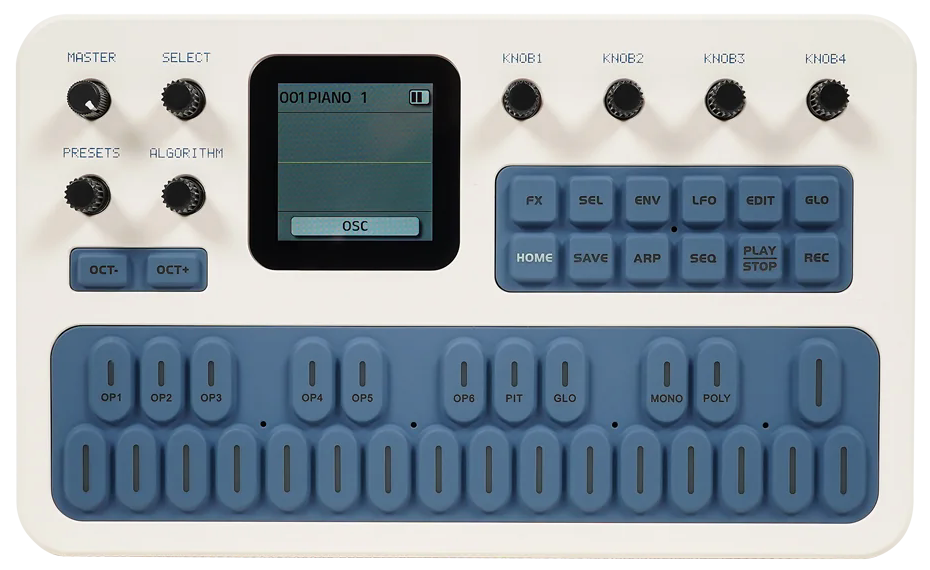
An eight-track tracker with FM, analog and chiptune synths, drum kits and live effects. Install it on your FM‑1 over USB.

Browser installer
Desktop Chrome, Edge, Firefox or Safari for Mac USB data cable
Connect one FM‑1, turn it on, and close other MIDI apps and browser tabs that use it.
The installer downloads a full flash backup before it installs White Rabbit. Keep it to restore your previous firmware and saved data.
When Firefox asks, choose Continue to Installation, then Add to give this site MIDI and SysEx access. Firefox may need to restart when the FM‑1 changes USB modes.
Install Web MIDI for Safari 0.1.11 or later on your Mac. Enable the extension in Safari settings, allow it on this site and reload. Use the extension’s prompt to allow SysEx. Safari support is experimental. The transfer can take several minutes.
Ready to connect
Allow MIDI access when your browser asks.
Connection and recovery help
If the browser cannot see your FM‑1, try another USB data cable or port, close any app using MIDI, and reconnect.
If a transfer stops, keep the FM‑1 powered on and connected. Check the connection again to see if the updater is still available.
Use M‑Flasher with your backup to restore the previous firmware and saved data. For a byte-for-byte copy of your original flash, take a backup in desktop M‑Flasher first. The browser prepares a temporary updater before it reads the flash.